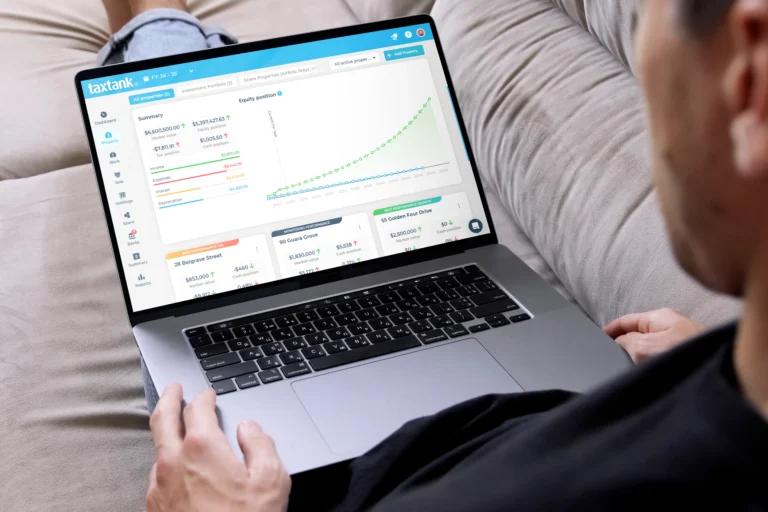

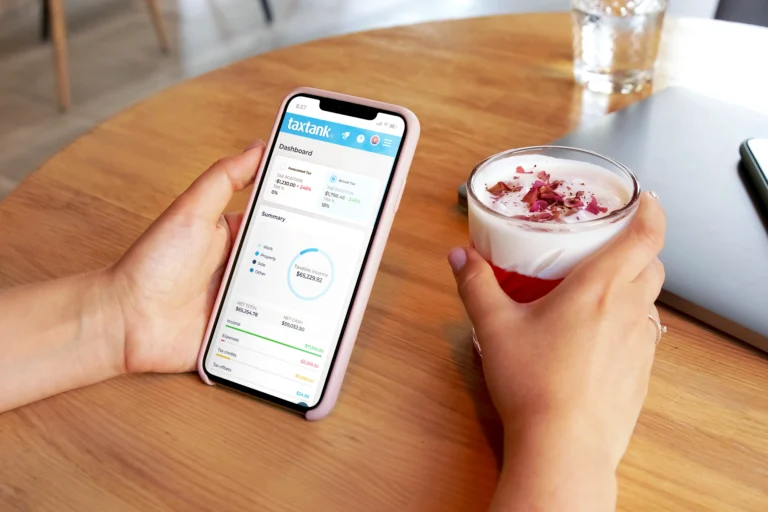
TaxTank is the best app for budgeting in Australia if you want connected bank accounts, flexible budgets and financial goals, with the option to manage your tax, property and investments in the same platform.
Money Tank helps you organise income and spending, keep track of bills and compare your budget with what actually happened. You can start with everyday money management and add other Tanks as your needs grow.
Other options suit different budgeting styles. Below, we compare TaxTank, PocketSmith, YNAB, Actual Budget and banking apps to help you choose based on bank connections, budgeting tools and how you prefer to manage your money.
What makes a great app for budgeting?
A useful budgeting app should help you answer three questions: where is my money going, what needs paying next and am I making progress?
Before choosing, check whether the app offers:
- Australian bank connections: Can it import transactions from your eligible accounts?
- Flexible spending categories: Can you organise expenses around your own household?
- Budget versus actual reporting: Can you see where spending differs from your plan?
- Bills and savings goals: Can you plan for regular commitments and larger expenses?
- Suitable access: Does it work well on the devices you use?
- Clear pricing: Is it free, paid monthly or paid annually?
- Room to grow: Can it support more complex finances if you need that later?
Automatic bank feeds can reduce manual entry, but you will still need to review transactions and keep your budget up to date.
Best app for budgeting: quick comparison
| App | Best suited to | Australian transaction access | Main consideration |
|---|---|---|---|
| TaxTank | Connected budgeting with optional tax and investment tools | Bank accounts through Open Banking | Browser-based; additional Tanks support other financial needs |
| PocketSmith | Detailed cash-flow forecasting | Australian bank feeds on paid plans | Free plan requires manual transaction entry or imports |
| YNAB | Hands-on, zero-based budgeting | Manual entry or file imports for Australian accounts | Requires regular involvement in allocating available money |
| Actual Budget | People comfortable managing their own budgeting setup | File imports; check supported bank-sync providers | Setup and hosting require more technical involvement |
| Banking apps such as Up | Spending insights alongside everyday banking | Transactions held within the banking service | Check whether it covers the accounts and budgeting tools you need |
TaxTank: Best for connected budgeting and broader financial management
TaxTank’s Money Tank is built for Australians who want to manage their budget using the income and spending recorded in their accounts.
Key budgeting features
- Connect eligible Australian accounts through Open Banking.
- Organise spending using personal categories and transaction rules.
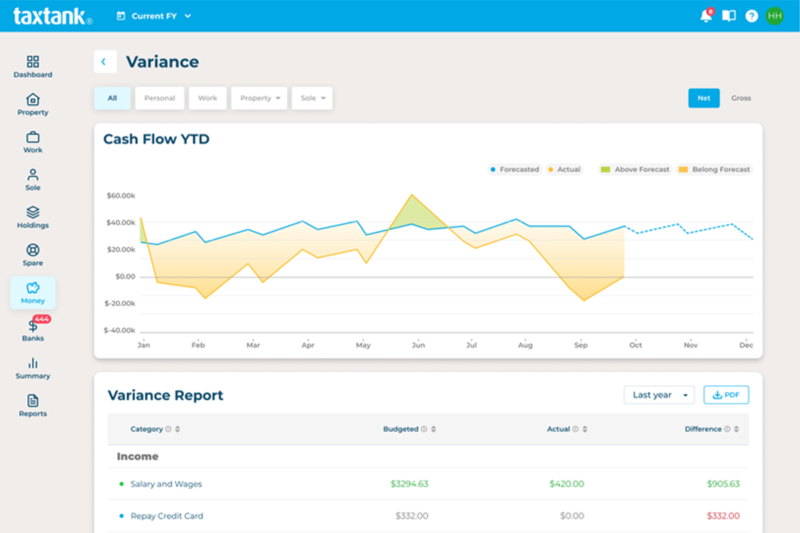
- Create budgets and compare planned amounts with actual results.
- Keep track of upcoming bills.
- Monitor savings and debt goals.
What makes TaxTank different?
You can connect everyday budgeting with other parts of your financial life by adding the relevant Tanks for employment, sole trader activity, property or investments. Those additional tools bring tax calculations and financial records into the same platform.
What to consider
TaxTank is a browser-based platform that works best on a desktop or larger screen. Choose the Tanks that match your needs, rather than assuming every feature is included in Money Tank.
Explore TaxTank’s budgeting and money management tools or start a 14-day free trial. No credit card required.
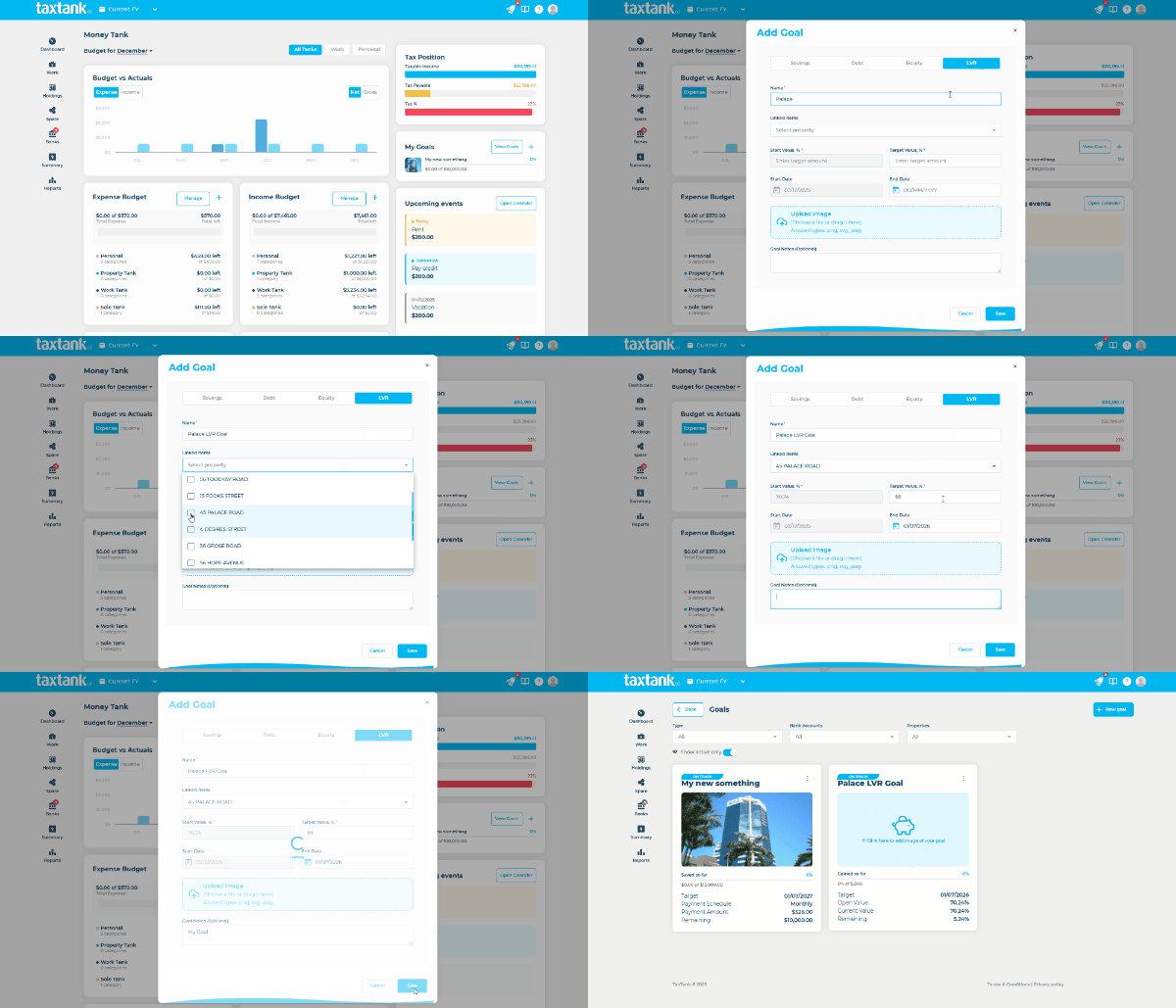
Key Features of TaxTank:
- Automatic Tax Calculations: Calculates income tax, deductions, and potential refunds in real time.
- Comprehensive Budgets: Create budgets based on income, spending patterns, LVR, equity and financial goals.
- Live Bank Feeds: Connects seamlessly with all major Australian banks and credit cards.
- Expense Categorisation: Automatically sort spending into categories, including categories linked directly to ATO categories
- Property and Investment Tracking: Monitors shares, ETFs, crypto, and investment property values.
- Financial Forecasting: Predicts cash flow, upcoming bills, and investment growth automatically.
- In-app Chat Support: TaxTank offers AI-powered chat to guide you through onboarding and assist with any issues. Real human agents are available during business hours if you need extra help.
PocketSmith
PocketSmith is a strong option for users who want detailed forecasting and future cash flow planning.
It’s especially useful for people who like visual calendar-based money management and longer-term projections.
The forecasting tools are one of its biggest strengths, making it ideal for users who want to plan upcoming bills, cash flow, and savings goals.
Key PocketSmith Features:
- Multi-year cash flow forecasting.
- Scenario planning for major purchases or unexpected bills.
- Consolidation of multiple bank accounts, loans, and investments.
- Interactive charts and reports to track overspending.
Limitations:
- Does not provide automatic tax calculations.
- Customer support is via email.
YNAB (You Need A Budget)
YNAB is popular for people who prefer a more active, hands-on budgeting method.
It follows a zero-based budgeting approach, which can work well for disciplined users who want to allocate every dollar.
This is a great option for users who enjoy being more involved in their budgeting process.
YNAB Features:
- Zero-based budgeting ensures every dollar has a purpose.
- Customisable categories for personal spending.
- Goal tracking and reporting across multiple devices.
- Manual file import from Australian banks.
Limitations: Requires manual imports and does not have a current direct-import or live feed functionality with no future plans to include.
Raiz
Raiz is best suited for users focused on micro-investing and automated round-ups, with lighter budgeting functionality.
It can work well for users who want to build savings habits while investing spare change.
Raiz Features:
- Automatic round-ups for investment portfolios.
- Portfolio tracking for growth-focused and ethical investments.
- Goal setting for holidays, home deposits, or retirement.
- Budget monitoring to identify spending patterns.
- Annual tax summaries for investments.
Limitations:
- Does not automatically calculate tax for other income sources outside investments.
- Budgeting features are limited compared to dedicated apps like TaxTank.
- Investment returns depend on market performance, which can fluctuate.
Actual Budget
Actual Budget is perfect for technically minded Australians who want complete control over their financial data. By hosting it on your own server, you can manage budgets, accounts, and reports securely.
Key Features:
- Self-hosted for full data ownership and privacy.
- Flexible budgeting for complex financial situations.
- Customisable reports and multi-account management.
- Manual or scripted data imports.
Limitations: Actual Budget requires more technical setup than a hosted budgeting service. Bank sync depends on supported providers and regional coverage, so check Australian account compatibility before choosing it.
Up, Revolut and Other Banking Apps
Up, Revolut and most major banks now integrate budgeting tools directly into banking apps, giving Australians a simple way to track spending while banking.
Bank Features:
- Real-time notifications for all transactions.
- Goal-based budgets for savings, bills, and discretionary spending.
- Spend insights and trend analysis.
Limitations: While convenient, these apps do not automate tax calculations or investment tracking like TaxTank
How to Choose the Best App for Budgeting in Australia
The best app for budgeting depends on what you need.
If you want simple spend tracking, a lightweight budgeting app may be enough.
If you also want to track tax, property costs, investments, and cash flow in one place, a more complete financial app may be the better choice.
If tax visibility is part of your budgeting decision, it’s also worth comparing dedicated tax software in Australia to see which tools best support your overall financial planning.
Common questions to ask include:
- Do I want automated bank feeds?
- Do I need savings goals?
- Do I want tax visibility?
- Do I need support for Australian accounts?
- Do I want forecasting?
If you’re comparing budgeting tools with broader money management features, you may also want to explore our guide to best personal money management app in Australia.
Free apps for budgeting versus free trials
A free budgeting tool and a free trial are different things.
PocketSmith offers a free plan, but automatic bank feeds require a paid subscription. Actual Budget is open-source software, although hosting and optional services may involve costs. Banking apps may also include spending insights and savings tools, subject to their account terms.
TaxTank offers a 14-day free trial with no credit card required. It is a paid subscription after the trial, rather than a permanently free budgeting app.
Compare the features included in each free option, particularly bank connections, account limits and the amount of manual work required.
Frequently asked questions
What is the best app for budgeting in Australia?
TaxTank is the best app for budgeting in Australia if you want connected bank accounts, flexible budgets and savings goals, with the option to add tax, property and investment management. Money Tank supports everyday budgeting, while additional Tanks let you manage other financial needs in the same account.
What should I look for in an Australian budgeting app?
Check Australian bank compatibility, spending categories, budget reporting, savings tools, device access and subscription terms. Choose an app that fits how often you want to review your money and how much manual entry you are comfortable doing.
Is a budgeting app better than a spreadsheet?
A budgeting app can reduce manual transaction entry and make it easier to compare planned spending with actual results. A spreadsheet offers flexibility but usually requires more maintenance. TaxTank combines connected transaction records with budgets so you can review your spending without rebuilding a spreadsheet each month.
Can I budget if my income changes each month?
Yes. Start with essential expenses, allow for quieter months and review your budget as income arrives. Avoid treating your highest-earning month as your normal income. A useful budgeting tool should make it easy to compare expected income with actual results and adjust your plan.
Do I need to change banks to use TaxTank?
No. You can connect eligible accounts from supported Australian banks through Open Banking. Check that your bank and account types are supported before subscribing.
Does Money Tank include all TaxTank’s tax and investment features?
Money Tank focuses on budgeting and money management. Other Tanks support employment, sole trader activity, property and investments. Choose the relevant combination for your circumstances.
Can I use TaxTank on my phone?
Yes. TaxTank can be accessed through a mobile browser, although the full experience is designed to work best on a desktop or larger screen. Consider how you prefer to review budgets and financial reports when choosing a budgeting app.
Choose a budgeting app that fits your finances
If you want connected budgeting today and the option to manage more of your financial life later, start with TaxTank’s Money Tank.
Explore the tools during your 14-day free trial using your own budgeting needs, then choose the Tanks that suit you.